

How independent musicians use AISong’s Song Maker App

For independent musicians, inspiration rarely arrives at the perfect moment. A melody might come to you on the train, a chorus while you’re walking home, or a lyric in the middle of a workday. The challenge isn’t coming up with ideas—it’s holding onto them long enough to turn them into music.
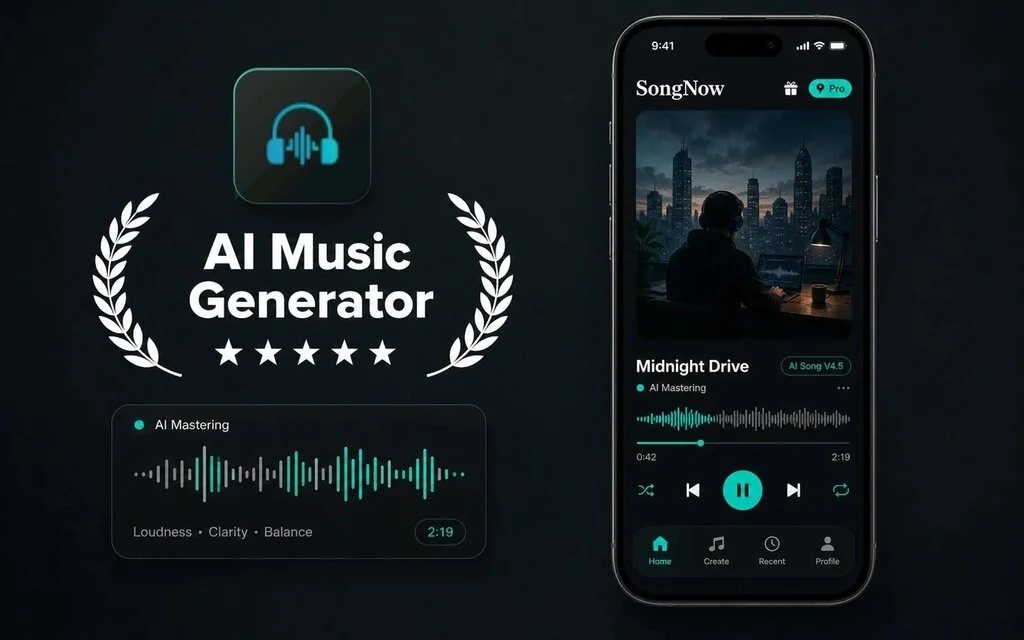
The Song Maker App from AISong brings AI Music Generation into a mobile workflow designed for those moments. Through the official SongNow app, musicians can turn a simple idea or a complete set of lyrics into a playable song, then continue refining it with editing and audio tools. Instead of waiting until you’re back in front of your computer, you can capture the idea while it’s fresh and return to it whenever you’re ready to develop it further.
For independent artists balancing songwriting, recording, collaboration, and content creation, that flexibility can make it much easier to keep creative momentum alive.
What is AI Music Generation?
AI Music Generation uses artificial intelligence to transform written prompts or lyrics into complete musical drafts, including melody, vocals, instrumentation, and arrangement.
Within the AISong platform, this process is integrated into a mobile app that combines song generation with lyric organization, project management, and editing features.
Rather than replacing the songwriter’s creativity, AI can serve as an early-stage creative partner. A rough lyric can quickly become a demo, making it easier to evaluate rhythm, phrasing, melody, or emotional impact before investing time in a full production. Keeping ideas, prompts, lyrics, and generated songs together also helps simplify the writing process, especially when inspiration happens away from the studio.
Traditional challenges of AI Music Generation
Many independent musicians face the same creative obstacles:
- Ideas often appear when there’s no recording setup available, making them easy to forget.
- Producing even a simple demo usually involves composing, recording, arranging, and creating a rough mix.
- Lyrics are difficult to judge without hearing how they flow with melody and rhythm.
- Exploring different genres, tempos, or vocal styles traditionally requires significant time and effort.
- Creative projects frequently become scattered across notes, voice memos, cloud storage, and multiple devices.
These are some of the reasons AI has become useful during the earliest stages of songwriting. Instead of replacing the creative process, it helps shorten the gap between an initial idea and a demo that can actually be heard, evaluated, and improved.
How AISong handles AI Music Generation
Generate songs from Ideas
Start with a short description of your concept, mood, or musical direction, and the app can generate lyrics, melody, vocals, and instrumental arrangement in a single workflow. This makes it easy to turn an unfinished idea into something you can immediately listen to and refine.
Write lyrics with more Control
Songwriters can either begin with a simple prompt or import their own lyrics. Simple Mode is designed for fast creation, while Custom Mode supports structured formats using sections like Verse, Chorus, and Bridge.
Additional controls for genre, mood, tempo, vocal style, and overall musical direction allow creators to shape the result without opening a desktop DAW.
Edit, remix, and reimagine
The creative process doesn’t end after generation. The Song Maker App also includes tools for vocal removal, stem separation, song extension, AI covers, instrumental creation, and additional vocal editing.
Whether you’re experimenting with alternate arrangements, creating karaoke versions, or building new ideas from an existing draft, these tools make it easier to continue developing a song inside the same workflow.
Output and usage
Projects can be saved to a cloud library alongside their prompts, lyrics, and generated versions, making them easy to revisit later.
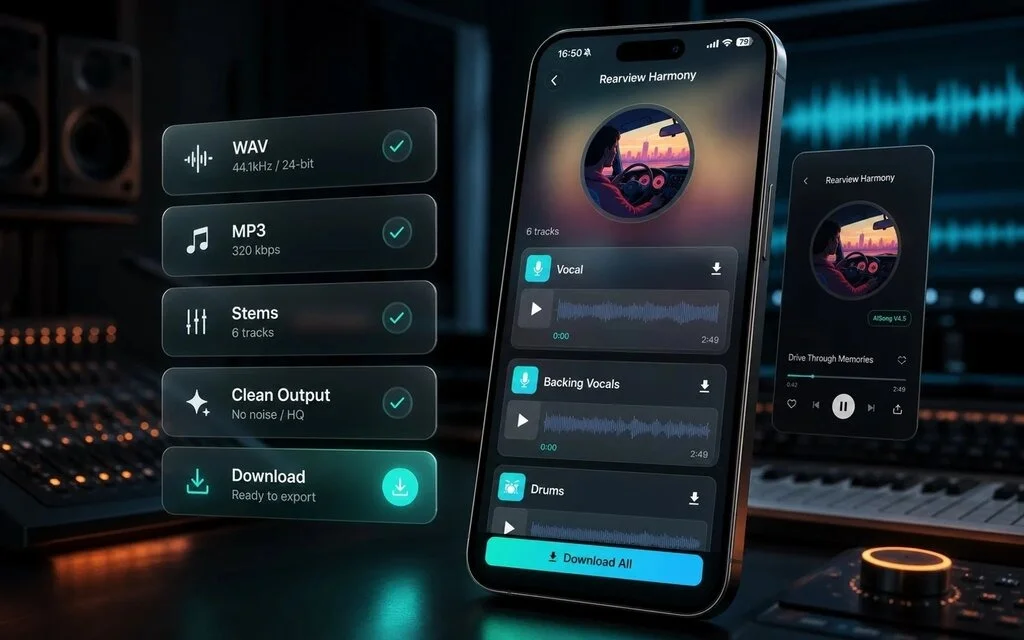
Depending on your subscription plan, songs can be exported in MP3 or WAV format for personal or commercial use, subject to the platform’s licensing terms.
How to use SongNow App
Step 1 – Prepare your input
Begin with either a clear song idea or your own lyrics.
If you’re using Custom Mode, organizing lyrics with sections such as [Intro], [Verse 1], [Chorus], [Bridge], and [Outro] helps the AI better understand the intended structure.
Being specific also improves the results. Instead of writing simply “rock,” try descriptions like:
- “Energetic 90s alternative rock with distorted guitars.”
- “Indie folk with acoustic guitar, warm bass, and light percussion.”
- “Cinematic ballad featuring orchestral strings and piano.”
The more descriptive your prompt is, the easier it becomes for the AI to generate music that matches your creative vision.
Step 2 – Configure the settings
Choose the creation mode and adjust only the controls available for the project, such as genre, mood, voice, tempo, style, lyrics, or structure. The AI Song Maker App gives musicians a mobile place to test these choices before committing to a final direction.
A useful Guide practice is to make targeted changes rather than rewriting everything at once. Keep a strong lyric or style foundation, then compare variations with one controlled change. Generating two or three versions in parallel can also make comparison more efficient than waiting for one result before starting the next.
Step 3 – Generate and refine
Tap Generate to create your first draft.
If the result isn’t exactly what you imagined, you can adjust the lyrics, style, mood, tempo, or arrangement and generate another version. Once you’re satisfied with the direction, save it to your library and continue editing.
From there, you can extend the song, split stems, remove vocals, create alternate versions, or export the finished audio where supported.
Commercial usage depends on the rights included with your subscription plan.
Use cases for independent musicians
Capture ideas anywhere
Instead of relying on voice memos or handwritten notes, musicians can quickly turn lyrics, melodies, or concepts into playable demos before inspiration fades.
Test lyrics and melodies
Hearing a song often reveals strengths and weaknesses that aren’t obvious on paper. AI-generated drafts can help writers evaluate phrasing, chorus structure, and overall flow before entering a recording session.
Explore different arrangements
Experiment with different genres, instrumentation, tempos, moods, and vocal styles to discover which direction best fits the song.
Build better demos
Independent artists can create clearer references for producers, collaborators, session musicians, or clients without having to complete an entire production from scratch.
FAQ
How does the mobile workflow work?
Describe your song idea, paste your lyrics, or choose a musical style. Generate a draft, adjust the creative settings, save the version you prefer, and continue refining it with editing, stem separation, song extension, cover generation, or export tools.
Can I use generated songs commercially?
AISong is designed to support royalty-free music creation, but commercial rights, export options, generation limits, and available features depend on your subscription plan. Always review the latest licensing terms before releasing or monetizing your music.
What can I control in a song?
The platform provides controls for lyrics, genre, mood, voice, tempo, musical style, and song structure. It also supports multilingual prompts, allowing creators to develop music for different audiences while maintaining their intended creative direction.
Conclusion
For independent musicians, a Song Maker App can be more than a convenient AI tool—it can become a practical extension of the songwriting process.
Instead of waiting until you’re back in the studio, you can capture an idea the moment it appears, hear it take shape within minutes, and continue refining it as your project evolves.
Like any creative technology, AI works best when it’s used to support artistic decisions rather than replace them. The strongest songs still come from human ideas, emotion, and judgment—but tools like the SongNow App can make it much easier to preserve inspiration, explore new directions, and move from concept to demo without losing momentum.
Redacción
Daniel Geyne
Fotógrafo, periodista y columnista en Yaconic. Experto en la escena musical alternativa y subgéneros como el Trip Hop, Metal y Punk Rock. Mi análisis, fundamentado en la Teoría Visual y Cinematográfica (Artes Visuales y Cine), me especializó en desglosar la estética underground. Con la perspectiva insider de mi trabajo en medios (Sabotage) y campañas publicitarias (Audi, Liverpool), te ofrezco una crítica única sobre cómo el arte, la contracultura y la imagen de marca interactúan.